
Japanese SOFTBANK 920SH

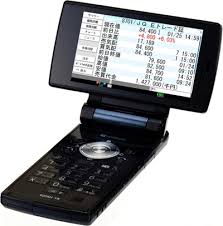
Japaneese Supported Models
611s · 631s · 633s · 641 · 641sf · 770SH · 802 · 902 · 904 · CEC SL7500c · GS200 · GX-E30 · GX-F200 · GX-L15 · GX1 · GX10 · GX10i · GX15 · GX17 · GX18 · GX20 · GX21i · GX22 · GX23 · GX25 · GX29 · GX30 · GX31i · GX32 · GX33 · GX40 · GXi98 · GZ100 · GZ200 · J-SH03 · J-SH04 · J-SH05 · PV200 · PV250 · SG200 · SH 550 · SH 601em · SH 700i · SH 703 · SH 705 · SH 712m · SH 770 · SH 811 · SH 821i · SH 880 · SH 900i · SH 902 · SH 903 · SH 903i TV · SH 905 · SH 910 · SH 911 · SH906i · SX313 · SX633 · SX633a · SX813 · SX815 · SX833 · TM100 · TM150 · TM200 · V402SH · V602SH · V603SH · V604SH · V703SH · V801SH · V802SH · V902SH · V903SH · WX-T81 Japanese SOFTBANK 920SH Japanese SOFTBANK 920SC Japanese SOFTBANK 904SH Japanese SOFTBANK SH905I Japanese SOFTBANK 921SH Japanese SOFTBANK 922SH Japanese SOFTBANK 705SH Japanese SOFTBANK 903SH Japanese SOFTBANK 550SH Japanese SOFTBANK 770S Japanese SOFTBANK HGX15 Japanese SOFTBANK GX25 Japanese SOFTBANK GX20 Japan phones: 705Px Japan phones Va10P Japan phones V820p Japan phones V911T Japan phones P905I Japan phones 709sc Japan phones 920se Japan phones V810p Japan phones V820p Japan phones 920p Japan phones 705px Japan phones V811T Japan phones V812T Japan phones V911T Japan phones V920T Japan phones V70T Japan phones L600i Japan phones L602i Japan phones D905i Japan phones F905i Japan phones S0905i Japan phones S090iec Japan phones Sh905i Japan phones D906i Japan phones P906i Japan phones So906i Japan phones F906i Japan phones Sh906i Japanese DOCOMO: P905I Japanese DOCOMO D905I Japanese DOCOMO SO905I Japanese DOCOMO SO905ICS Japanese DOCOMO F905I Japanese DOCOMO N905I

Unlock your Sharp mobile with Rebel SimCard
Example How to Insert Rebel Sim II Cut Design in to Sharp 904
Example How to Insert Rebel Sim II Cut Design in to Sharp 906i
Example How to Insert Rebel Sim II Cut Design in to Sharp 920SH
Sharp Rebel Sim II Unlock card Choose Your Rebel Simcard and Unlock Your Mobile Phone Instantly. The Worlds Only Unlock Solution that will NOT invalidate the warranty of your Phone. The Best and Easiest Method of Unlock. Sharp Rebel Sim II Unlock card
[Product Details…]
|
Sharp Rebel Sim II Unlock card + Network sim Cutter Choose Your Rebel Simcard and Unlock Your Mobile Phone Instantly. The Worlds Only Unlock Solution that will NOT invalidate the warranty of your Phone. The Best and Easiest Method of Unlock. Sharp Rebel II Unlock Sim card with Cutter Package contents
[Product Details…]
|

Sharp Batteries

Sharp Unlock Sim

UNLOCK BY POST SERVICE

Get access to the Latest Rebel Simcard Beta Versions before the world gets it only for £10.

Currenty V61 is the best firmware for rebel sim on the iphone 2.2 & 2.21 firmwares.
However we are always improving network detection and regeneration routines and these new beta firmwares can be accessed by subscribers to the Rebel Testing Network.
After Payment you will recieve an automatic email which will allow access to the Rebel Beta Testing Downloads Section.
A Password and username will be sent via email which will offer you life time membership to new Beta firmwares that are created by the Rebel Sim Team.
Currently v63 Beta and v 64 Beta can be accessed by users to test and send feedback.
All users must have a Rebel Programmer to be able to test and update.
If you dont yet have a usb programmer you can purchase one here
Existing users can login here
New Features in Rebel v63 and v64
New faster Boot up sequence than v61
Better support for 3G Cards with support increased for Accessing 3G data for more Network Simcards.
More simcards supported for Auto Regneration of Network Simcard TIMSI when changing base stations.
No Sim Message and use of Air Plane mode on and off to detect network sim Not needed No More.
The Need to do Manual Network Search and Select Network from list now Enhanced & Automated for More Simcards.
Orange and T mobile simcards Enhanced So can Obtian Service Faster and also EDGE enhanced.
How to Obtian a Data connection if you see no data on the Beta 64 Firmware
Do a network search and login in to another network so network is losteg if you have an iphone 3g and its locked then when you insert rebel sim with your network sim and have signal but cannot activate a data connection or see the GPRS or EDGE or 3G logo then say for example you have a Orange sim in the iphone then do a network search and manully log in to another networks and will say You Cellular Network is No longer Available then reboot the iphone and play with air plane mode and when network comes it will have data.

| Programmer Drivers ( according to type ) | Operating Systems | Date | Size | Download | |
 |
Rebel Simcard Compact programmer drivers For users who have Rebel Compact programmer. Drivers can be installed from Windows Update. In case the Windows update is not working then the drivers can be downloaded from the provided link. Click here to see how to insert the rebel sim in the compact programmer. |
Win XP & Vista | 20-Aug-2008 | [1.54 MB] | Download WinXP Drivers
NOTE WE Recommend Using the Drivers From Windows Update |
 |
Rebel Simcard – Full Size Programmer
How to use the Programmer with Professional Sim Adaptor to update firmware |
Win XP & Vista | 20-Aug-2008 | [1.66 MB] | Download |

Latest Video from the Rebel Simcard Team showing the unlocking of a locked iphone on the UK O2 Network being using on the latest iphone 3.0 OS beta 2
Great news for all users for iphone 3G users
Only a day after the release of the second iPhone 3.0 developer beta, the firmware has already been jailbroken, hackers claim. A new version of QuickPWN, described as “unofficial” because it is not based on iPhone Dev Team work, opens up iPhones and first-generation iPod touches for purposes such as file browsing and loading unofficial apps. Second-gen Touches are incompatible as a result of Apple’s separation of the firmware line.
After the main software is launched, the hack additionally requires the installation of programs called Icy and OpenSSH.
Download QuickPWN 3.0 Beta 2
Note: This is BETA software, and some jailbroken apps may not work.

We just got the announcement from the Rebel Simcard Developement Team iPhone OS 3.0 beta 2 has been tested succesfully using Rebel Simcard V61
All users who have currently updated to the iphone 3g v3.0 beta 2 can still use the latestV61 firmware from us to unlock the iphone 3G .
Solution Point Limited the creators of Rebel Simcard have announced availablity of its Latest product aimed at enthusiasts and hobbiest to scan data communication between network simcard and mobile phones.
This is a tool kit to help scan network simcards so we can add support to the rebel sim for new network simcards that come out and continue to dominate the mobile phone simcard unlocking technology Industry.
This shows how serious we take our leadership of the simcard unlocking Field.
Also this toolkit can be used be the enginners of tomorrow to learn about APDU’s and scanning methods.

Scan APDU Commands From GSM/UMTS Simcards. Ideal To Learn more and to help us make rebel sim work on the newer phones that just released. Hardware Based APDU Sniffing for RS232 Packets.
Scan APDU Commands From GSM/UMTS Simcards for Analysis
Hardware Based APDU Sniffing for RS232 Packets.
All Software Required is here
Below you can find the direct links to the iPhone Firmware Files for every released firmware version. Please note that if you use Safari you must disable the auto unzip feature. It may be easier to just use Firefox!
1.0.0: iPhone1,1_1.0_1A543a_Restore.ipsw
1.0.1: iPhone1,1_1.0.1_1C25_Restore.ipsw
1.0.2: iPhone1,1_1.0.2_1C28_Restore.ipsw
1.1.1: iPhone1,1_1.1.1_3A109a_Restore.ipsw
1.1.2: iPhone1,1_1.1.2_3B48b_Restore.ipsw
1.1.3: iPhone1,1_1.1.3_4A93_Restore.ipsw
1.1.4: iPhone1,1_1.1.4_4A102_Restore.ipsw
2.0.0 (2G): iPhone1,1_2.0_5A347_Restore.ipsw
2.0.0 (3G): iPhone1,2_2.0_5A347_Restore.ipsw
2.0.1 (2G): iPhone1,1_2.0.1_5B108_Restore.ipsw
2.0.1 (3G): iPhone1,2_2.0.1_5B108_Restore.ipsw
2.0.2 (2G): iPhone1,1_2.0.2_5C1_Restore.ipsw
2.0.2 (3G): iPhone1,2_2.0.2_5C1_Restore.ipsw
2.1.0 (2G): iPhone1,1_2.1_5F136_Restore.ipsw
2.1.0 (3G): iPhone1,2_2.1_5F136_Restore.ipsw
2.2.0 (2G): iPhone1,1_2.2_5G77_Restore.ipsw
2.2.0 (3G): iPhone1,2_2.2_5G77_Restore.ipsw
2.2.1 (2G): iPhone1,1_2.2.1_5H1_Restore.ipsw
2.2.1 (3G): iPhone1,2_2.2.1_5H11_Restore.ipsw
Apple iphone 3G 2.2 update information for rebel simcard users worldwide
It is advisable not to update to the Apple’s new firmware v2.2 with iPhone 3G, as the security has been enhanced hence stopping every single ‘Simcard Unlocking Technique’ to work throughout the world.
What to do if you have already updated the iphone 3G to 2.2 ?
iPhone 3G users who have already updated to the new firmware 2.2 using iTunes can still use rebel simcard with limited options till a new vertion is released very SOON
For other Simcard Unlocking Users who are using other brand unlocking simcard are now locked out thier is no other option available .
Please note that Rebel Simcard can still work as is the most advanced unlocking simcard in the world beacuse it has in built modes and can adapt by changing modes and also the firmware can be updated by users using a USB simcard reader and PC.
to see a video on how to update rebel firmware please see
http://rebelsimcard.com/virtu/index.php?option=com_content&view=article&id=5&Itemid=5
We here at Rebel, Sell Fully Upgradable and Reprogrammable Simcards so that users dont loose their hard earned money after an update is released by Apple like the 2.2 that has locked out all users other than rebel simcard users.
It is advisable to only purchase a unlocking simcard which has firmware upgradeable option like Rebel SimCard.
We always work on an update to make rebel simcard work in new versions of apple iphone 3g firmware.
An Update is coming soon for all rebel simcard users and if you dont already have a usb programmer to update the rebel simcard we advise to order now so that you can update your rebel simcard firmware in the very near future to allow you iphone 3g to functions with your favourite network operator simcard.
To purchase a usb programmer use please use this link
Users who already have purchased a programmer will be emailed when the next rebel simcard update is relased very soon.
What to do now?
Users who have by mistake updated to version 2.2 via itunes (that means their iPhone Baseband has been updated with much higher security) can still use Rebel Simcard to work in 2G mode enabling them to make and receive calls with 3g mode set to off.
follow the intructions here for using a simcard in 2G mode with iphone 3g
http://rebelsimcard.com/virtu/images/documents/product-usage-guide.pdf
How to use rebel simcard if you have already updated to 2.2 accidently?
Rebel Simcard has again been Worlds First to provide any kind of solution with the newer 2.2 iphone 3g update in the world.
All other unlocking simcards are locked out totally and network signal does not stay. Only with Rebel Simcard one can change mode to 1 can still work for 2g calls and soon use all full 3g and data when we release our new update.
How to change mode of rebel simcard to 1 to use with 2.2
Best to use a any model nokia for fastest way to change the mode and follow the same method as in video below
These are instructions on how to jailbreak your 3G iPhone to the 2.1 iPhone firmware using QuickPwn for Windows. Before beginning make sure you have updated to iTunes 8.
Please follow the tutorial here at the iClarified.
These are instructions on how to jailbreak your 2.0.x 3G iPhone using WinPwn 2.5 for Windows. They have been updated for iPhone firmware 2.0.2.
Please follow the tutorial here at the iClarified.
Your iPhone will now be restored to the jailbroken 2.0.x firmware of your choice!
